Sell Buttons
How Sell and Sell All work, and how to configure them.
Overview
Sell (B)
Sells only brews placed in the GUI item slots.
Sell All (S)
Sells GUI slots + all brews in the player's inventory.
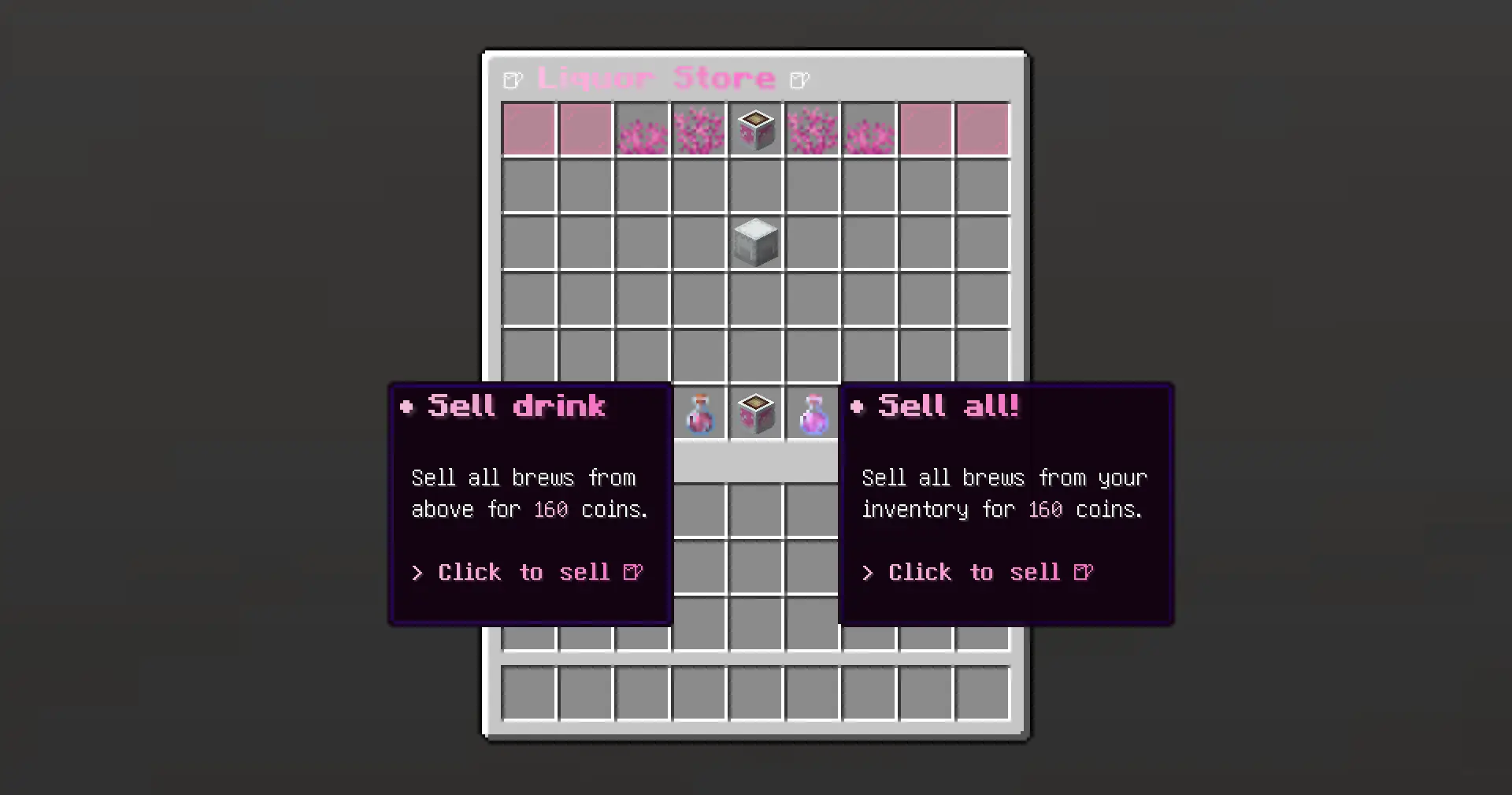
States
Each button has two visual states, refreshed every 20 ticks:
- Allow — brews available. Shows value and count.
- Deny — nothing to sell. Non-clickable.
Configuration
config.yml — sell-icons
sell-icons:
  symbol: 'B'
  allow-icon:
    material: 'POTION'
    custom_name: '<gradient:#FCBDE3:#F973C4>Sell drink</gradient>'
    lore:
      - ''
      - '<gray>Sell for <white>{money}</white> coins.</gray>'
      - '<gray>Brews: <white>{sold_amount}</white></gray>'
      - ''
      - '<gradient:#FCBDE3:#F973C4>Click to sell!</gradient>'
    potion_contents:
      custom_color: 16679863
    action:
      sound:
        type: 'sound'
        value: 'minecraft:block.amethyst_block.place'
  deny-icon:
    material: 'GLASS_BOTTLE'
    custom_name: '<gradient:#FCBDE3:#F973C4>Nothing to sell!</gradient>'
Placeholders
| Placeholder | Context | Description |
|---|---|---|
{money} | Lore | Formatted value of available brews |
{sold_amount} | Lore | Number of available brews (in GUI / inventory) |
Actions
| Type | Description | Example |
|---|---|---|
sound | Plays a sound | minecraft:block.amethyst_block.place |
Tip: Action key names are arbitrary — only
type and value matter.